Your fraud bill rises, and the terminal feels old
Last quarter, the fraud line item stops looking like noise and starts looking like a recurring expense. It’s not just one bad card-not-present order; it’s the pattern: a couple of chargebacks, a few “no signature” disputes, and the slow drip of fees that don’t show up until the statement closes. Meanwhile the countertop terminal still works, but it works in that way that makes staff hesitate—swipe first, retry, key it in, tape over a cracked screen. The expectation is simple: spend once, reduce the mess. The uncertainty is whether the upgrade actually buys safety, or just moves where the problems land.
What makes the equipment feel “old” isn’t the plastic casing; it’s the workflow around it. When the terminal can’t reliably read chips, people fall back to swipe or manual entry, and that’s where the disputes get expensive. You start noticing how often the receipt says “fallback,” how frequently the customer is asked to try again, and how much time gets burned during a rush. Fraud isn’t rising in isolation; it’s rising alongside small operational shortcuts that the current setup quietly encourages.
The expectation: chip readers will make fraud disappear
Once you start pricing a replacement terminal, the sales pitch almost writes itself: “Get chip-enabled and fraud drops.” It sounds plausible because the worst disputes often trace back to easy-to-copy magstripe data and to the moments your staff gives up and keys a number in. The upgrade promise isn’t really about speed or prettier receipts—it’s the idea that a chip transaction is “real” in a way a swipe isn’t, so the chargebacks stop showing up like clockwork at the end of the month.
That expectation can be useful, but it’s also where budgets get set a little too optimistically. Owners tend to assume the chip is a blanket fraud filter: insert card, problem solved. Processors reinforce it with simple comparisons and a clean hardware quote, and it’s tempting to treat the terminal as the whole fix because it’s a one-time purchase with a clear invoice. The friction is that fraud and disputes don’t behave like a single category, and your biggest loss driver might not be the one the chip reader is designed to block.
Reality check at the counter: chip doesn’t cover everything
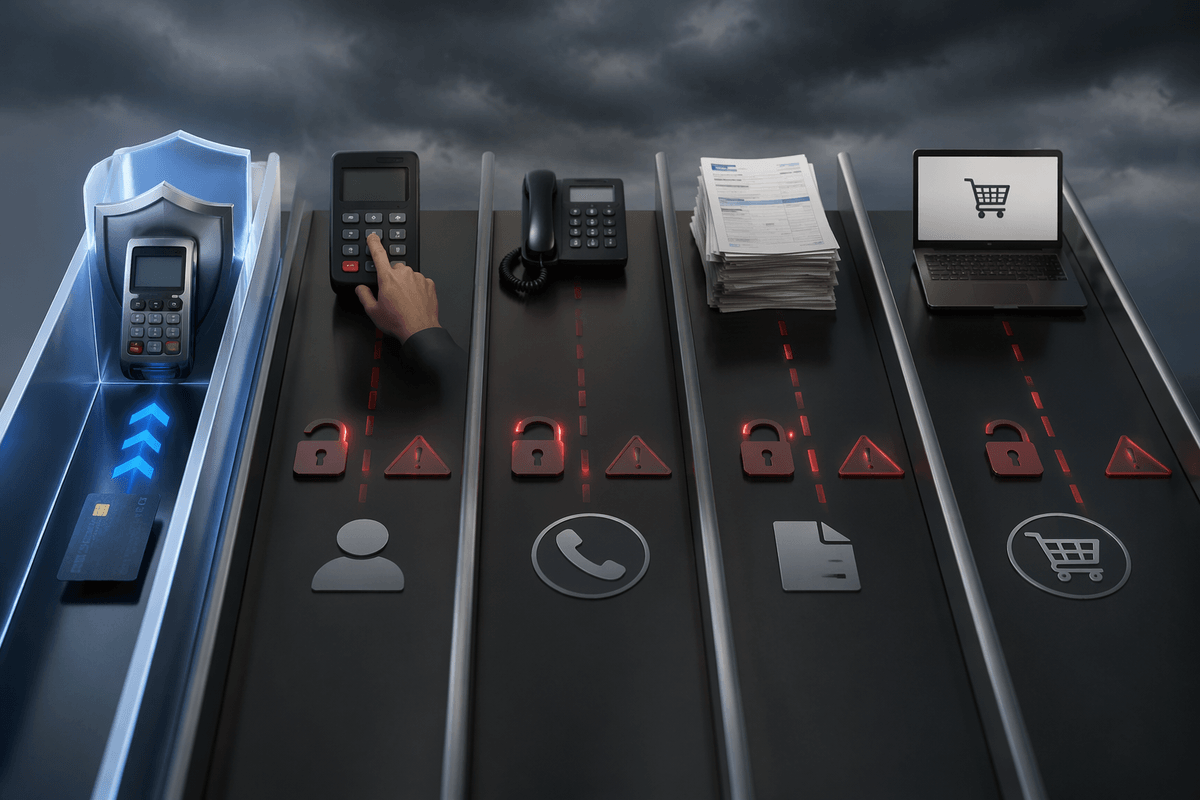
The first week after you plug in a chip-capable terminal, the numbers don’t always cooperate with the story. The in-store counterfeit swipes tend to calm down, but the chargeback report still has familiar rows—because the chip only tightens up one lane. If most of your pain is coming from keyed transactions, phone orders, invoices, or online checkout, EMV doesn’t touch that exposure. Even in person, a chip read can still turn into “fallback” when the card won’t insert cleanly, when the reader is dirty, or when the line is long and someone decides it’s faster to swipe.
The disputes also shift shape. “Fraud—card present” isn’t the only reason you lose; you still see “no authorization,” “duplicate,” “incorrect amount,” and “refund not processed” when the counter process is messy. Tips and pre-auths can trigger confusion if your staff doesn’t know what the receipt is actually showing. And contactless adds convenience, but it doesn’t fix training gaps—employees can still key a number, bypass prompts, or accept a transaction type your policy shouldn’t allow. The chip reduces one kind of theft; it doesn’t make the checkout mistake-proof.
The liability shift moment that changes your exposure
The first real “oh” moment usually isn’t the day you install the new reader—it’s the first dispute after you don’t. A customer comes back with a chargeback for counterfeit card use, and the paperwork shows the transaction was run as a magstripe swipe even though the card had a chip. If your setup couldn’t do a proper chip read, or your staff forced a swipe to keep the line moving, the network rules can push the loss toward the party using the less secure method. That’s the liability shift in practice: it’s not moral blame, it’s a routing of who eats the cost.
What changes operationally is that “fallback” stops being a harmless receipt detail. If the terminal prompts for insert and the cashier swipes anyway, you can end up defending a case you would have won with an EMV dip. The fee stack is what stings—chargeback fees, lost sale, merchandise gone, staff time—so the exposure isn’t just fraud volume, it’s how often your process ends up in the non-EMV lane when the card could have gone chip.
Upgrade math beyond hardware: downtime, training, cash flow
After that first loss you “shouldn’t” have had, the upgrade starts looking less like a hardware purchase and more like an operational project. The quoted terminal price is rarely the number that stresses the month. It’s the afternoon the counter runs on a manual imprinter or cash because the new device won’t provision, the network drops during setup, or the batch won’t close on the first try. Even a two-hour disruption has a real cost when you’re short-staffed, a delivery is waiting, and the line is long enough that people abandon purchases.
Training is the quiet multiplier. If the new workflow adds prompts—insert vs tap, tip screens, duplicate authorization warnings—people either slow down or develop shortcuts. The mistakes that follow don’t always look like “fraud” on the statement; they show up as avoidable disputes, extra voids, and refund confusion. The math has to include paid time to train, a quick-reference sheet at the register, and someone assigned to watch the first few rushes so “fallback” doesn’t become the default again.
Cash flow is the last trap. Some upgrades change your funding timing, add monthly device/service fees, or require a lease you can’t easily exit. If you’re already absorbing chargebacks, a single bad week plus a new recurring fee can pinch payroll. The better comparison is “total monthly drag” versus “expected fraud and dispute reduction,” not terminal price versus hope.
Picking a safer setup: defaults that reduce mistakes
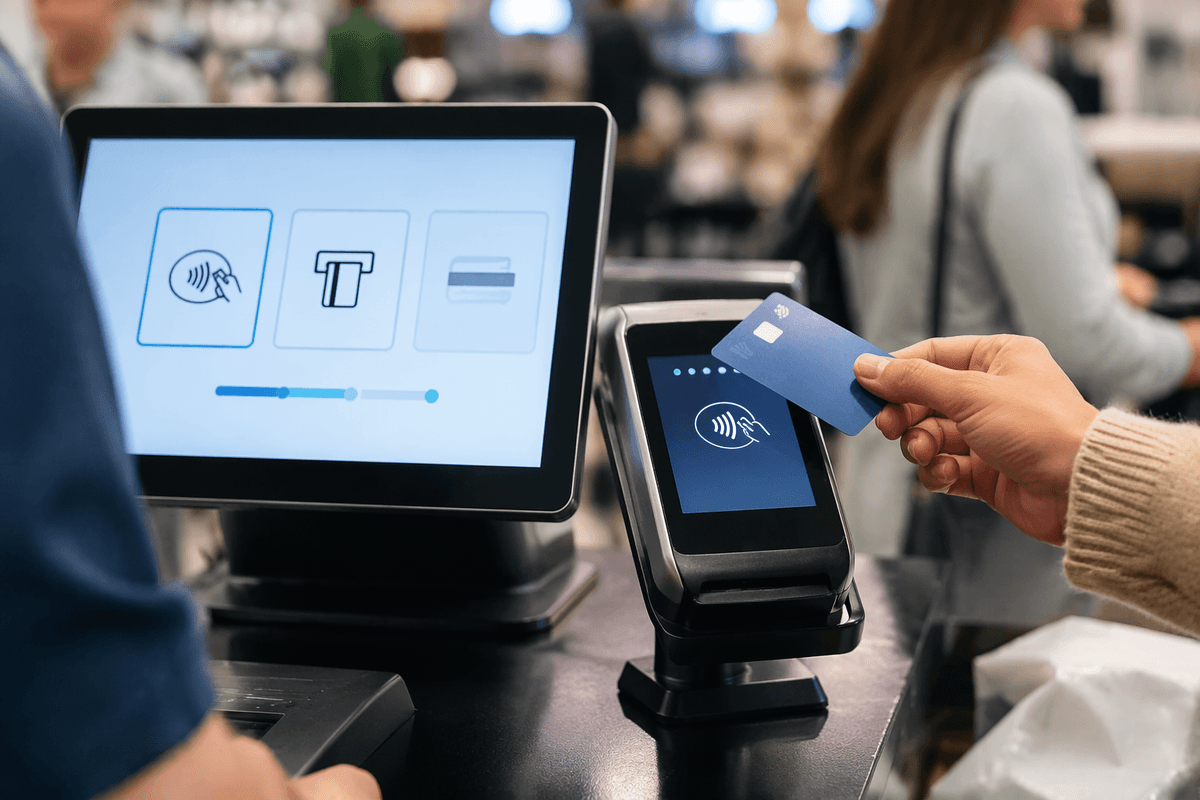
By the time the hardware is installed, the bigger question is what it quietly lets people do when they’re rushed. A “safer” setup is the one where the default path is chip or tap, and the risky paths feel intentionally harder. If the terminal regularly offers swipe as an easy escape hatch, it will get used, and “fallback” becomes muscle memory again. Some merchants solve this just by choosing a device and POS flow that makes dip/tap the first screen, with clear prompts that don’t invite guessing.
The same logic applies to manual entry. If keyed transactions are turned on everywhere “just in case,” they’ll happen during every line spike, and you’ll keep paying for it later. Tighten it: require a manager PIN for key-entry, set limits by dollar amount, and separate phone orders to a process that forces AVS/CVV and a recorded customer acknowledgment. Add simple guardrails—duplicate-sale warnings, refund-to-original-card defaults, and a tip flow that’s consistent—because most losses still come from avoidable counter mistakes, not movie-style fraud.
Questions to ask your processor before signing
Before the paperwork, the useful conversation is the one that exposes where costs and liability actually land. Ask what your effective rate will look like on your mix (chip, tap, keyed, online), and which fees are variable versus fixed monthly. Get a clear answer on funding timing, chargeback fees, and whether fraud tools or “compliance” add-ons are optional or baked in. If cash flow is tight, two days versus next-day deposit matters more than a slightly cheaper swipe rate.
Then push on the operational edge cases you’ve been living with: how the system treats “fallback,” whether you can restrict or require approval for manual entry, and what evidence they provide on disputes (EMV data, signatures, receipts). Confirm whether the terminal is purchased or leased, the exact contract length, early-termination terms, and who owns replacements when devices fail mid-shift.